Best 2-in-1 Laptops: Top Picks for Every Need & Budget

Let’s be honest, technology is evolving at a dizzying pace, and with our lives becoming more mobile than ever, flexibility in devices isn’t just a luxury anymore, it’s a necessity. Whether you’re a student darting between lectures, a professional managing Zoom calls and spreadsheets, or a digital artist sketching your next masterpiece, the best 2-in-1 laptops are designed to move with you…literally and figuratively.
I’ve spent the last few weeks knee-deep in specs, testing models, and poring over user feedback so that you don’t have to. If you’re in the market for a 2-in-1 laptop, this guide is your one-stop-shop. We’ll break down what makes these hybrid machines tick, compare top models, and match the best picks to different user needs and budgets.
What Is a 2-in-1 Laptop?
Before we get into the nitty-gritty, let’s clear up what exactly a “2-in-1 laptop” is.
A 2-in-1 laptop (also known as a hybrid laptop) combines the functionality of a traditional laptop with the flexibility of a tablet. These devices come in two main styles:
- Convertible: The keyboard folds or flips behind the screen (e.g., Lenovo Yoga series).
- Detachable: The keyboard detaches completely (e.g., Microsoft Surface Pro).
In short, you get the productivity of a laptop with the convenience of a touchscreen tablet—all in one sleek device.
Best 2-in-1 Laptops – In-Depth Reviews
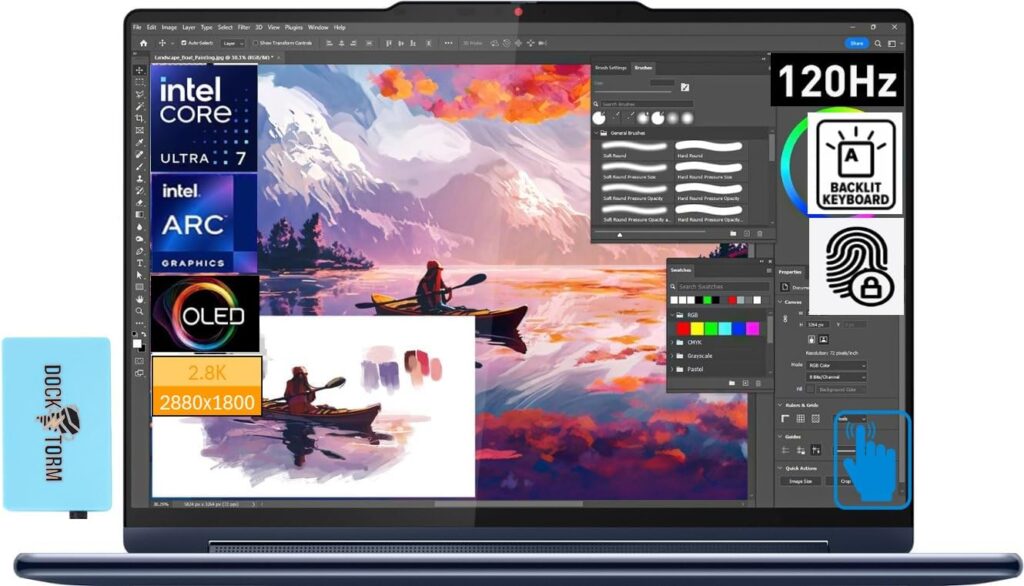
1. Best Overall: Lenovo Yoga 9i (14”, Gen 9)
Key Features:
- Processor: Intel Core Ultra 7 (Intel Evo-certified)
- Display: 14” 2.8K OLED touchscreen, 120Hz refresh rate
- Design: Sleek all-metal chassis with 360° hinge
- Audio: Bowers & Wilkins Rotating Soundbar
- Battery: Up to 15 hours of mixed use
Pros:
- Stunning OLED display
- Top-tier sound quality
- Solid performance for multitasking
- Comes with a stylus in-box
Cons:
- Premium pricing
- Limited port selection (you’ll need a dongle or dock)
Why It Stands Out:
Lenovo’s Yoga 9i earns the top spot for blending performance, style, and usability. Whether you’re editing photos, attending meetings, or binging Netflix (no judgment), this machine handles it all with flair. I loved the rotating soundbar…yes, it actually moves with the hinge for optimal audio regardless of orientation. Check it out here.
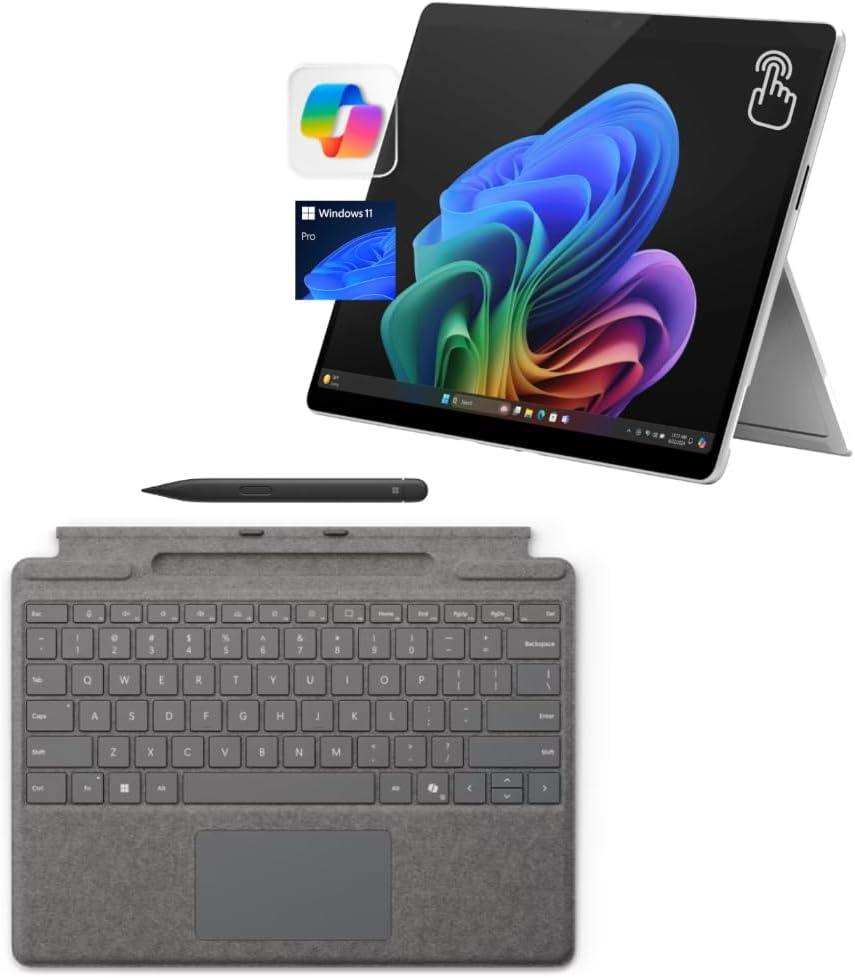
2. Best for Students: Microsoft Surface Pro 11
Key Features:
- Processor: Snapdragon X Elite with built-in NPU (AI-optimized)
- Display: 13” PixelSense Flow touchscreen (120Hz)
- Battery: Up to 14 hours
- Portability: Ultra-slim, detachable form factor
Pros:
- Lightweight and ultraportable
- Excellent webcam and mic for remote learning
- Optional Slim Pen and Keyboard cover
- Fantastic battery life for an ARM chip
Cons:
- Keyboard sold separately
- ARM-based apps may have limited compatibility
Why It’s Great for Students:
Surface Pro 11 is like the Swiss Army knife of student tech. Ideal for typing essays, taking notes with a stylus, or hopping into a quick Teams call. It’s light enough to carry all day and powerful enough for everyday tasks. Plus, the AI-accelerated performance helps with tasks like voice dictation and background blur without tanking your battery. Find it here.
3. Best for Business: Dell Latitude 9440 2-in-1
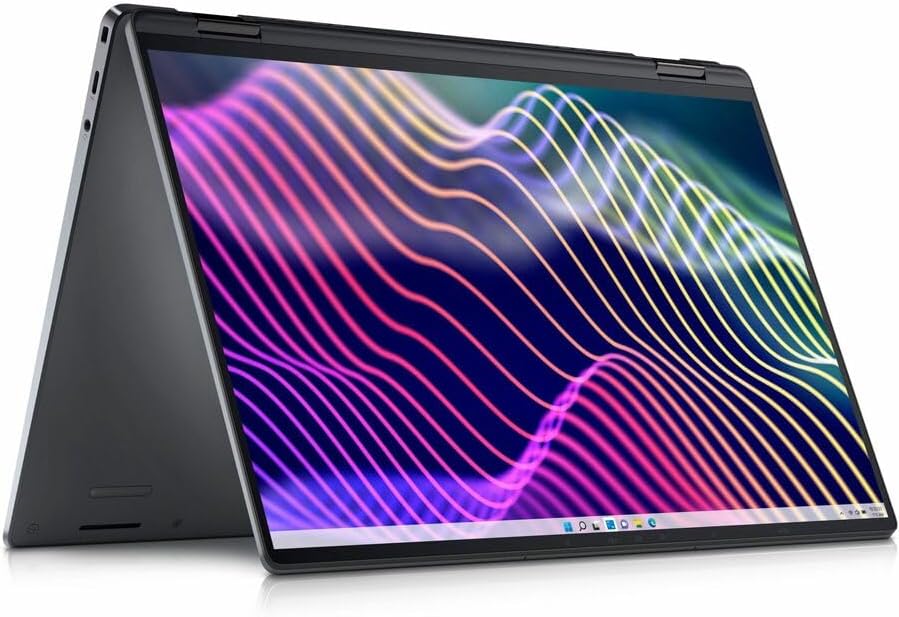
Key Features:
- Processor: Intel Core Ultra 7 or vPro options
- Display: 14” QHD+ touchscreen with anti-glare coating
- Security: Fingerprint reader, IR camera, smart card reader
- Battery: Up to 16 hours
Pros:
- Built with enterprise-grade security and manageability
- Premium build quality and 2-in-1 flexibility
- Excellent keyboard and trackpad
- Great battery life for a workday
Cons:
- Pricey compared to consumer models
- Slightly heavier than average
Why It’s Great for Professionals:
The Dell Latitude 9440 2-in-1 is built for serious work on the go. With its convertible design, you get the versatility of tablet mode for presentations or note-taking, and the security features IT departments love. It’s one of the few business-class 2-in-1s that doesn’t cut corners. screen real estate is perfect for side-by-side document viewing.
4. Best for Creatives: HP Spectre x360 14
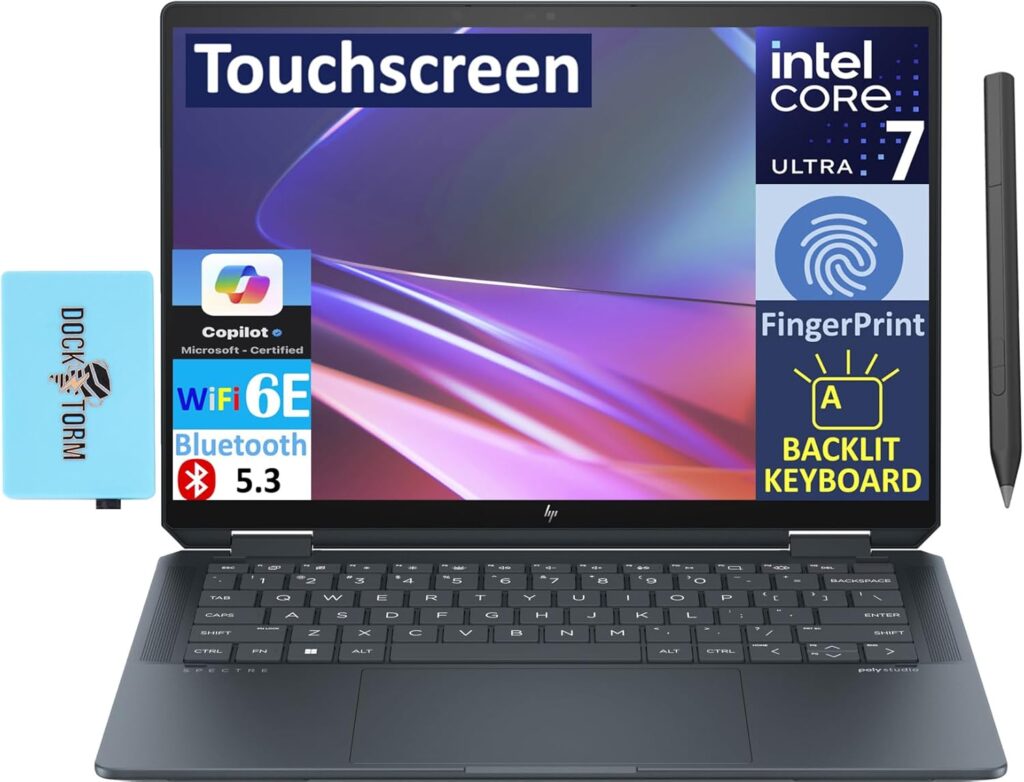
Key Features:
- Processor: Intel Core Ultra 7
- Display: 14” 2.8K OLED with 400 nits brightness
- Design: Sleek gem-cut aluminum body
- Extras: Rechargeable MPP2.0 Tilt Pen included
Pros:
- Brilliant OLED display with deep contrast
- Stylus and touch support for digital artists
- Premium build with stylish design
- Fast charging and Thunderbolt 4
Cons:
- Slightly bulky for tablet use
- Gets warm under heavy load
Why It’s a Creative Powerhouse:
If you’re a designer, video editor, or digital illustrator, the HP Spectre x360 will feel like a creative playground. The 2.8K OLED panel is color-accurate and rich, and the stylus is precise enough for detailed sketching. Bonus points for looking as good as it performs.
5. Best Budget Option: Acer Spin 5
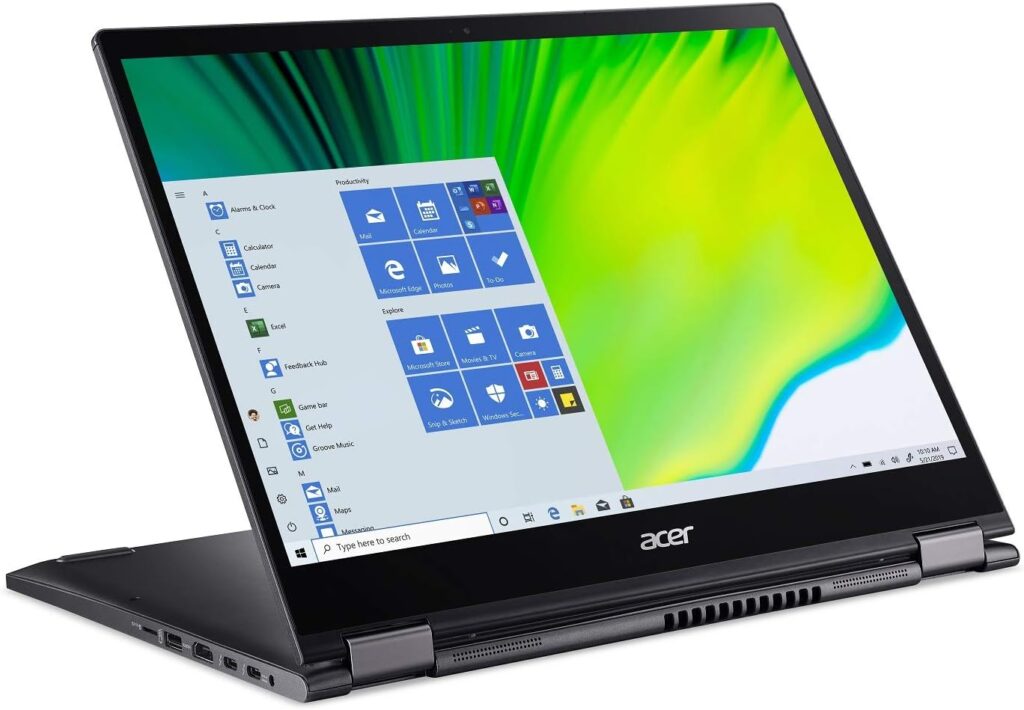
Key Features:
- Processor: Intel Core i7 (13th Gen)
- Display: 14” 2560×1600 IPS touchscreen
- Design: Magnesium alloy chassis, 360° hinge
- Battery: Up to 10 hours
Pros:
- Affordable without cutting corners
- Stylus included and docked
- Great display at this price point
- Lightweight and portable
Cons:
- Speakers are just okay
- Not ideal for heavy workloads
Why It’s Great on a Budget:
The Acer Spin 5 punches well above its weight. It delivers a well-rounded experience for under $800, making it ideal for casual users, students, and even light creative work. It’s one of the best value-for-money options in the 2-in-1 space today. Check it out here.
What to Look for When Buying a 2-in-1 Laptop
Choosing the right 2-in-1 laptop isn’t just about picking the newest or flashiest option. Here are the key factors to keep in mind:
Performance
Look for recent-generation CPUs (Intel Core Ultra, AMD Ryzen 7000 series, or Apple Silicon if/when applicable). Aim for at least 8GB RAM (16GB is ideal), and opt for SSD storage for speed.
Display Quality
Touchscreens should be responsive and bright. OLED is amazing for colors, while IPS panels are budget-friendly. If you’ll be using a stylus, check for pen pressure levels and palm rejection.
Battery Life
Anything under 8 hours is disappointing. Look for realistic claims based on mixed usage, and keep in mind that OLED screens can consume more power.
Stylus & Keyboard
Some brands include the pen and keyboard (like HP and Lenovo), while Microsoft sells them separately. If drawing or note-taking is essential, factor this into your budget.
Weight & Portability
A device over 3.5 lbs might feel awkward in tablet mode. Detachable models are lighter but can sacrifice performance and port selection.
Build Quality
Sturdy hinges and solid materials matter, especially in convertibles. Test the “wobble” factor—cheap hinges don’t last.
Ports & Connectivity
USB-C is a must; Thunderbolt is a bonus. Also check for headphone jacks, microSD slots, and HDMI if you present often.
Operating System
- Windows: Most 2-in-1s run Windows—versatile, stylus-compatible, full app support.
- ChromeOS: Great for simple tasks, ideal for schools or light users.
- macOS: Apple hasn’t launched a true 2-in-1 yet—but if they do, it’ll shake up the market.
Who Should NOT Buy a 2-in-1 Laptop?
Let’s be real, 2-in-1 laptops aren’t for everyone.
You might want to skip them if:
- You do high-end gaming or need a dedicated GPU.
- You require robust workstation software (like 3D rendering or massive data modeling).
- You rarely use touch input or stylus features.
- You need the absolute best keyboard and trackpad experience—ultrabooks or traditional laptops might serve you better.
Final Thoughts
2-in-1 laptops are no longer a niche product—they’re fast becoming the norm for users who demand versatility without compromise. Whether you’re doodling in tablet mode, typing up documents in clamshell mode, or presenting in tent mode, these devices adapt to you.
To wrap things up:
- Get the Lenovo Yoga 9i if you want the best overall package.
- Surface Pro 11 is a student’s dream—light, smart, and stylish.
- Dell Latitude 9440 2-in-1 nails the professional sweet spot.
- HP Spectre x360 makes creatives swoon.
- Acer Spin 5 proves great value doesn’t mean compromise.
Looking for deals? Click here to check current discounts on top 2-in-1 laptops.
Still not sure which one is right for you? Feel free to drop a comment or message. I’d love to help you make the perfect choice.
Related post: Best Laptops for Home Use: Top Picks for Every Need and Budget
We may earn from qualifying purchases from Amazon. Learn more here.